

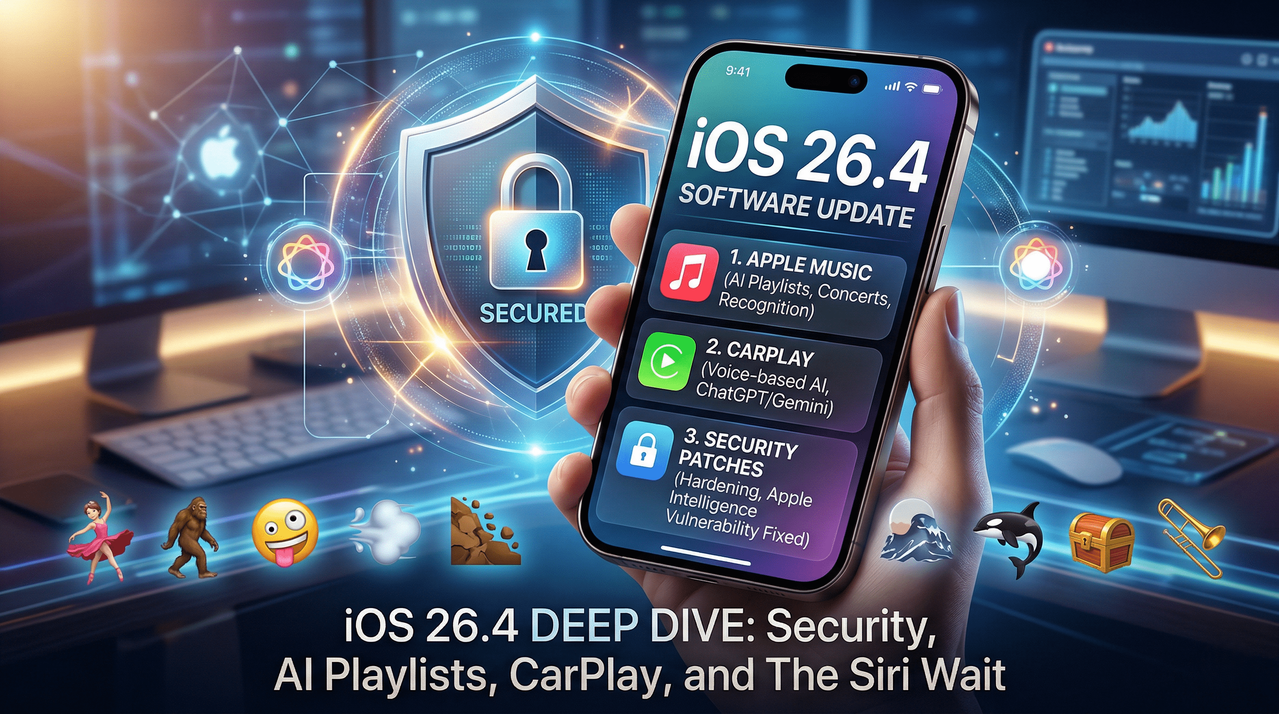
iOS 26.4 Deep Dive: Security Hardening, AI Integration, and the Long Wait for Siri
Apple has officially released iOS 26.4, and while the version number might suggest a routine mid-cycle update, the reality is a nuanced blend of critical security patches and meaningful quality-of-life improvements. For the average iPhone user, this update is less about "flashy" overhauls and more about refining the ecosystem’s stability and safety. However, for those tracking the evolution of Apple Intelligence, iOS 26.4 represents a pivotal moment in how the company handles on-device privacy and third-party AI integration.
One of the most immediate changes users will notice is the arrival of iOS 26.4.1, which specifically targets Stolen Device Protection. Apple has now enabled this feature by default, signaling a more aggressive stance on physical device security. This means that if your iPhone is stolen, the most sensitive operations—like changing your Apple ID password or disabling Find My—will require biometric authentication (FaceID or TouchID) without a passcode fallback, even if the thief knows your code.
The RSAC Report: Hardening Apple Intelligence
Perhaps the most significant aspect of this update is invisible to the eye. Security researchers at the RSA Conference (RSAC) recently identified a vulnerability within the "guardrails" of Apple’s local language model (LLM). This on-device AI, which powers various Apple Intelligence features, was found to be susceptible to exploits that could allow an attacker to bypass privacy protocols.
If exploited, this flaw could have granted unauthorized access to personal files and data handled by LLM-enabled applications. The researchers noted that apps like SmartGym (accessing health data) and VLLO (accessing private video content) could have been high-value targets. While Apple confirms there has been no evidence of this vulnerability being used "in the wild," the iOS 26.4 update includes 34 critical security patches specifically designed to harden these systems. This update addresses flaws across Audio, iCloud, Mail, and the iOS kernel, making it a mandatory install for anyone concerned with data integrity.
Apple Music: AI and Live Experiences
For many, the standout feature of this release is the Playlist Playground. In an era where AI-generated content is becoming the norm, Apple has integrated a local LLM into the Music app. Users can now generate playlists through natural language prompts. For instance, asking the app to "Build a playlist of 1950s cool jazz for a rainy evening" will trigger the AI to scan your library and Apple Music’s vast catalog to curate a specific mood.
Beyond AI curation, the new Concerts feature bridges the gap between digital streaming and live performance. By analyzing your listening habits, the app now suggests nearby live shows, providing a more integrated experience for music fans. Visually, the app has also received a facelift; supported albums now feature full-screen background imagery, such as a striking all-white interface for The Beatles’ White Album, enhancing the immersive feel of the player.
The Expansion of CarPlay: Welcoming Third-Party AI
In a surprising move toward interoperability, iOS 26.4 paves the way for conversational AI within the vehicle. Apple has opened the door for developers of apps like Google Gemini, ChatGPT, and Claude AI to support CarPlay.
Once these developers update their respective apps, drivers will be able to engage in full, back-and-forth conversations with these AI assistants through their car's interface. This marks a shift in Apple’s strategy, allowing users to choose their preferred AI "brain" for navigation assistance, scheduling, or general inquiries while driving, rather than being strictly tethered to the native assistant.
Accessibility and User Experience Refinements
Apple continues to lead the industry in accessibility, and iOS 26.4 adds several layers of customization for users with sensitivities:
- Flash Mitigation: Users can now set the system to automatically minimize bright, strobing flashes of light when interacting with UI elements.
- Liquid Glass Motion: For those sensitive to screen motion, the "Reduce Motion" setting now extends to the Liquid Glass animations, smoothing out the visual transitions that some find disorienting.
- Subtitles & Captions: A new, persistent toggle allows for quicker activation of captions during video playback, removing the need to dig through deep menu layers.
Furthermore, the "Keyboard Accuracy" bug—a long-standing grievance for power users—has reportedly been resolved. Many users had reported "ghost touches" or incorrect character inputs when typing at high speeds. Apple’s engineers have reworked the touch-response algorithm in this version to ensure that fast-paced typing remains fluid and accurate.
Family Sharing and Purchase Independence
The logistical side of Family Sharing has received a much-needed update. Previously, the family organizer was the sole "banker" for the group, with all purchases billed to a single primary payment method. Under iOS 26.4, individual family members can now maintain their own payment methods for their purchases. This provides a level of financial autonomy for adult children or extended family members who share a subscription plan but want to manage their own discretionary spending.
The Emoji Update
No iOS update is complete without a refresh of the Emoji library. iOS 26.4 introduces eight new characters to help users express themselves:
- Nature & Wildlife: An Orca and a Bigfoot.
- Activities & Objects: A Ballet Dancer, a Trombone, and a Treasure Chest.
- Abstract & Environment: A Distorted Face, a Landslide, and a Flight Cloud.
The Siri Dilemma: Waiting for WWDC 2026
Despite the wealth of features, there is a sense of disappointment among the tech community regarding Siri. Rumors had heavily suggested that iOS 26.4 would be the debut of "Siri 2.0"—a version allegedly powered by Google’s Gemini backend. Instead, Siri remains largely unchanged in this iteration.
According to Bloomberg’s Mark Gurman, Apple is currently testing a standalone Siri app that functions similarly to dedicated AI chatbots. This new version is expected to offer deeper integration with on-device settings, allowing for complex multi-step tasks that the current version struggles with. All eyes are now on the 2026 Worldwide Developers Conference (WWDC), scheduled to begin on June 8, where Apple is expected to finally unveil the future of its voice assistant.
Final Verdict and How to Update
iOS 26.4 is a "stability and security" update disguised as a feature release. While the AI playlists and CarPlay updates are welcome, the real value lies in the RSAC-inspired security hardening and the fixes to the keyboard and stolen device protection.
To update your device:
- Open Settings > General.
- Tap Software Update.
- Select Download and Install.
- Ensure your device is connected to power and backed up via iCloud before proceeding.
As Apple moves toward the end of the iOS 26 cycle, it is clear that the focus is shifting toward a more open, AI-driven future. While we wait for a smarter Siri, iOS 26.4 ensures that the iPhone remains the most secure and refined mobile platform on the market today.




Comments
No comments yet. Be the first to share your thoughts!
Leave a Comment